
From Raw Data to a Paginated Report: How Power BI Makes Large Datasets Easily Displayable
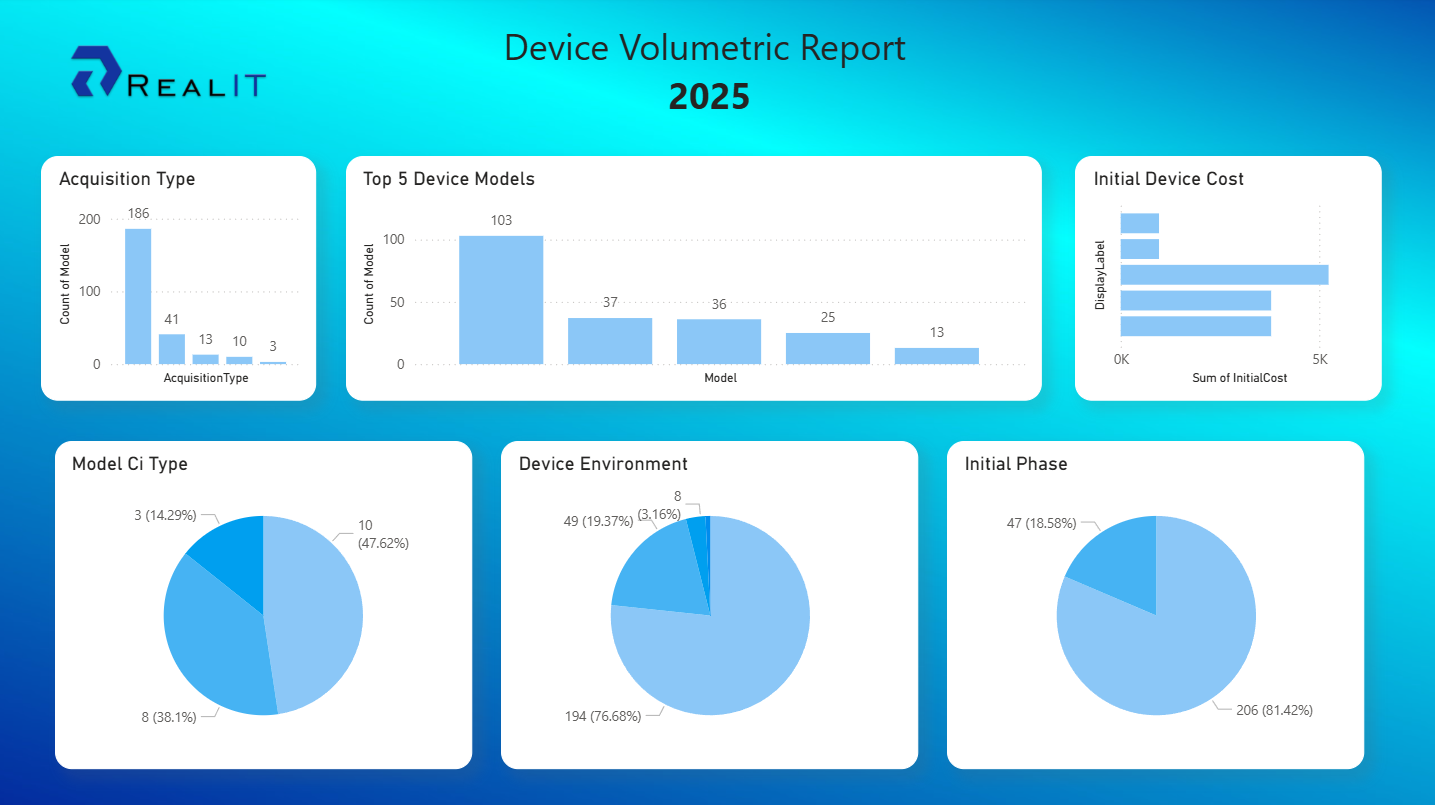
Turning raw data into clear, structured reports can be complex, especially with large datasets spread across different systems. Power BI simplifies that process—from database connection to formatted, paginated reports—providing an end-to-end framework for data transformation and visualization.
1. Connecting to the Database via ODBC
Every Power BI project starts with the data source. Many organizations still rely on ODBC (Open Database Connectivity) to connect to their databases, whether SQL Server, Oracle, MySQL, or PostgreSQL. ODBC provides a standardized bridge that lets Power BI securely access tables, views, or stored procedures directly from the source system.
A well-structured query at this stage is crucial. Efficient indexing, query folding, and filtering ensure that only the required data is extracted, reducing load and improving performance in later stages.
2. Transforming and Modeling with Data Analysis Expressions (DAX)
Once data is pulled into Power BI, it often arrives in its rawest form—disorganized and difficult to interpret. Power Query helps clean and shape it using transformations such as removing duplicates, splitting columns, merging datasets, or changing data types.
After cleaning, DAX (Data Analysis Expressions) is used to build logic into the model. With DAX, analysts create calculated columns and measures that summarize or transform data—turning millions of transactions into digestible KPIs such as Year-to-Date Sales or Customer Churn Rate.
These transformations form the foundation of Power BI’s semantic model—a structured, reusable layer that defines business logic, relationships, and hierarchies. It ensures consistency across all reports built from the same dataset.
3. Publishing to the Cloud
Once the dataset and semantic model are ready, they’re published to the Power BI Service. This step moves the data model into a secure cloud environment where refresh schedules, permissions, and collaboration features can be managed centrally.
Publishing also allows seamless integration with other Microsoft services: Power Automate for workflow triggers, Power Apps for user input, and Azure for AI or machine learning. These integrations turn Power BI into more than a reporting tool—it becomes part of an intelligent data ecosystem.
4. Using the Semantic Model in Report Builder
Power BI Report Builder, designed for paginated (pixel-perfect) reports, connects directly to the semantic model in the Power BI Service. Instead of querying raw tables, it pulls curated data through DAX or MDX queries.
This approach offers key advantages:
Consistency: All calculations and definitions come from a single, validated model.
Security: Row-level security and access permissions from Power BI Service automatically apply.
Performance: The semantic model is optimized for high-speed aggregations and large-scale queries.
By leveraging the semantic model, teams avoid redundancy—business rules don’t have to be recreated for each report.
5. Building the Paginated Report
Paginated reports excel where precision and printability matter—financial statements, invoices, inventory lists, or compliance documents. Within Report Builder, designers can create detailed layouts with tables, matrices, charts, and parameters that control filtering or grouping.
Headers, footers, and pagination can be customized for export to PDF, Excel, or Word. Once published back to the Power BI Service, these reports can be securely shared, scheduled for distribution, or embedded into dashboards.
From Complexity to Clarity
Power BI streamlines the entire reporting journey—from ODBC database connections to paginated reports ready for distribution. With Power Query for data shaping, DAX for modeling, the Power BI Service for cloud management, and Report Builder for pixel-perfect output, organizations gain an end-to-end workflow that scales effortlessly.
In the IT Operations Management (ITOM) landscape, this process becomes even more powerful when connected to an ITOM Data Lake. By feeding telemetry, availability, and performance data from diverse monitoring tools into Power BI’s semantic model, IT teams can create real-time, paginated operational reports—bridging the gap between raw infrastructure data and actionable business insight.
With Power BI and the ITOM Data Lake, enterprises turn operational noise into clarity—transforming complex systems data into reports that drive intelligent, data-backed decisions.